
Try it in 5 minutes
Türkçe versiyon: Hızlı başlangıç
What is Eunomia? A bounded treasury on Stellar that lets you hand an AI agent real spending power, safely: the daily limit, the per-payment limit and the list of approved payees are enforced by the contract — no matter how hard the model is "persuaded", funds can't leave the policy.
Eunomia runs on Stellar mainnet, in beta: real money, with a deposit cap on every treasury while the beta lasts. Start small. Every owner action is signed by you — non-custodial, funds stay under your control the whole time.
App: eunomia.finance
Two ways in
With a passkey (fastest). Face ID, a fingerprint or your device PIN. No wallet to install and no seed phrase to write down — the passkey controls a Stellar smart wallet and transaction fees are sponsored. Works the same on a phone.
With a wallet. If you already have one: Freighter, xBull, Albedo, LOBSTR, Rabet or Hana on desktop; any WalletConnect-capable Stellar wallet on a phone. It needs a little XLM for fees, and the USDC or XLM you want the treasury to hold.
Steps
Sign in — Create your treasury with a passkey, and confirm with your face, fingerprint or PIN. (Prefer a wallet? I have a wallet → pick yours. On a phone, choose WalletConnect and scan the QR.)
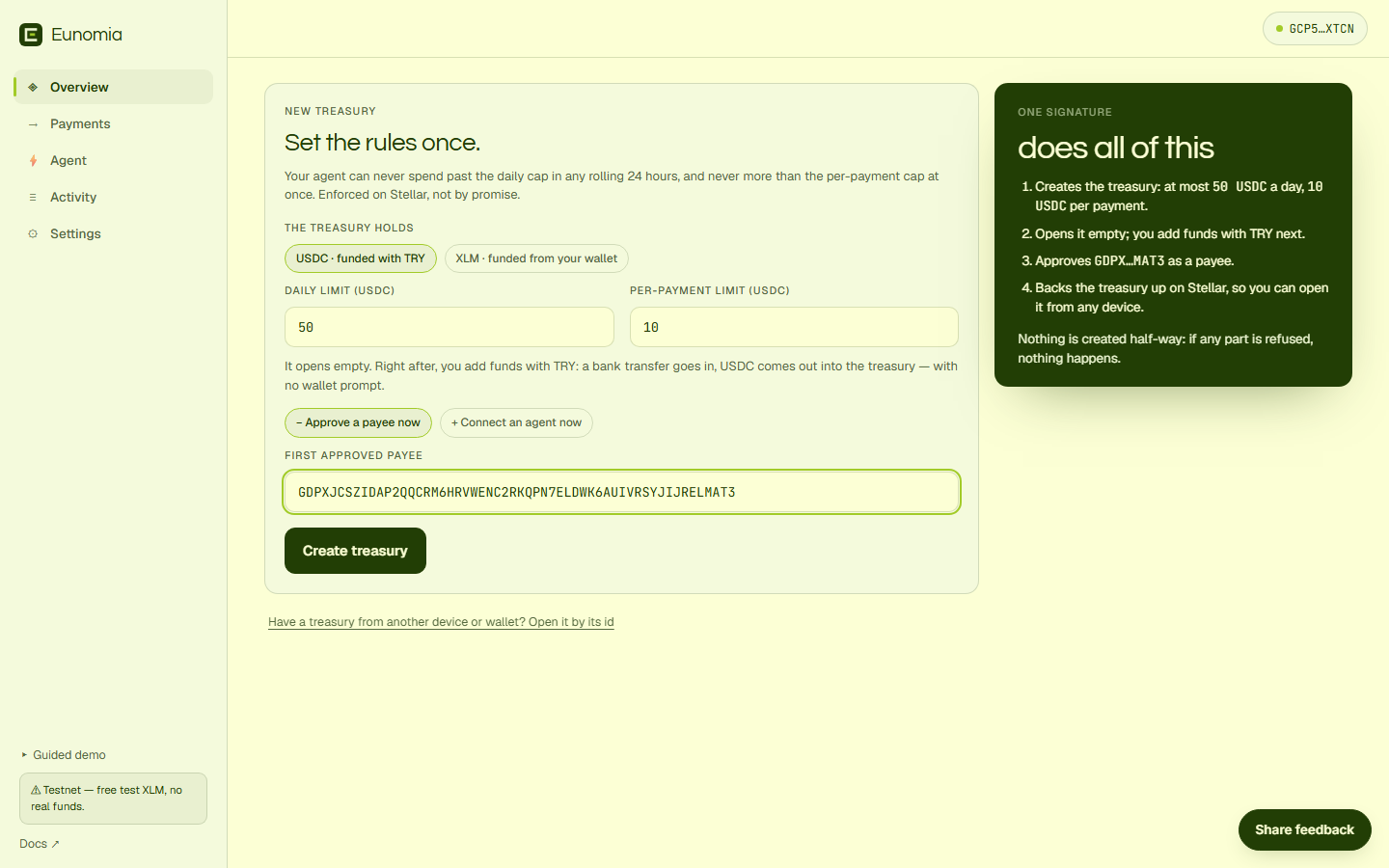
Set the rules and create — one signature. The treasury holds USDC unless you switch it to XLM. Enter a daily limit and a per-payment limit → Create treasury → confirm once. Two optional chips fold into that same signature: + Approve a payee now and + Connect an agent now (step 7).
Add funds — on Overview, Add funds → amount → Fund → confirm. The deposit comes from your wallet in the treasury's own token; the form shows how much USDC your wallet holds before you sign.
Approve a payee — on Payments, add an address that may be paid. (In a USDC treasury a G… payee needs a USDC trustline to receive it; a passkey wallet needs nothing.)
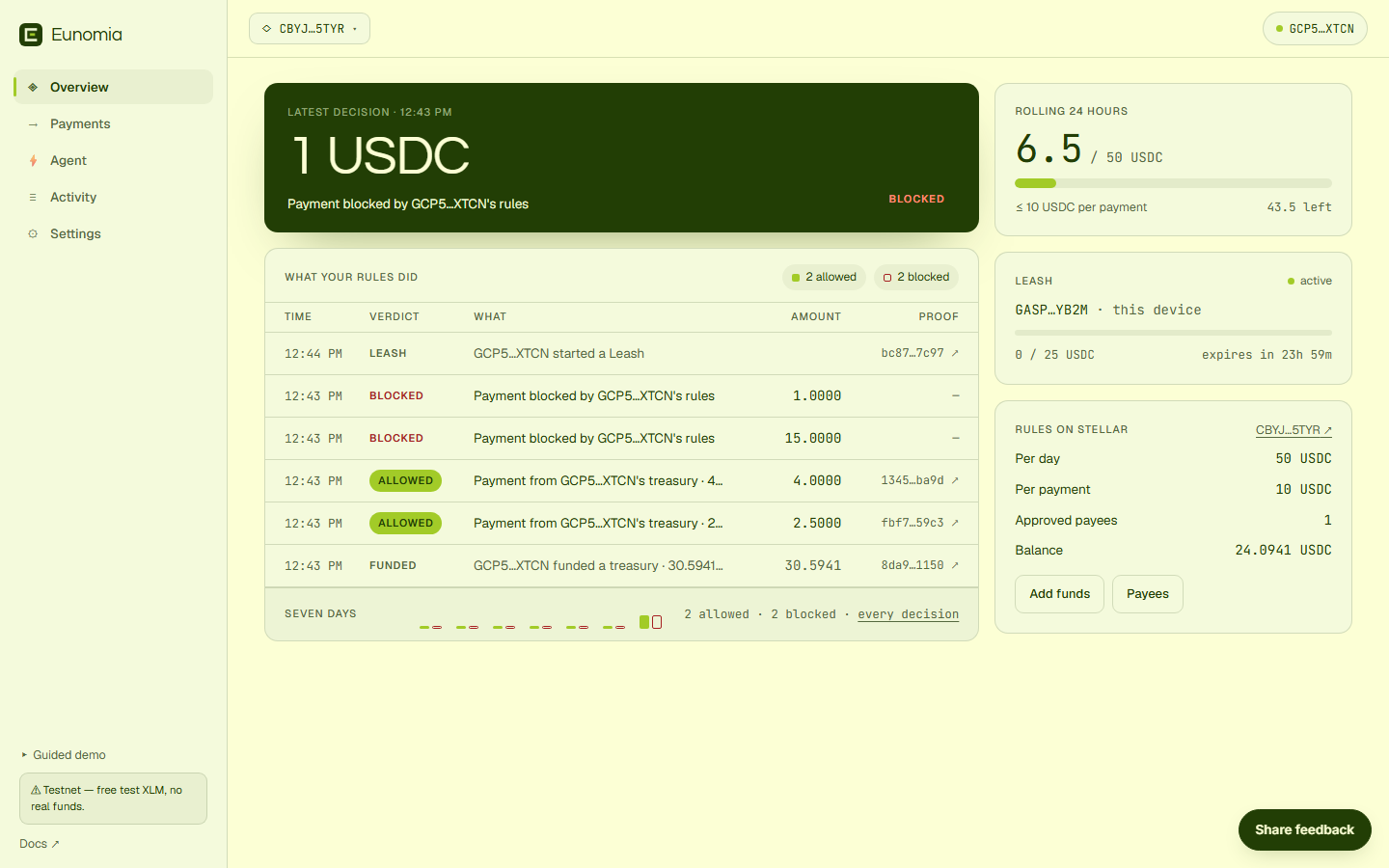
Send a payment — Pay by hand → your approved address, an amount within the limits → it lands on-chain ✓ and appears in the ledger with its proof.
Now watch the real show — try an amount over your per-payment limit, or a payment to an address you never approved: the contract rejects it and funds never move. That rejection is the product working. 🔴
Hand it to an agent (no more popups) — on Agent, copy the command the page prints —
npx -y eunomia-mcp init --treasury <your id>— and run it on the agent's machine withEUNOMIA_RPC_URLset to a Stellar mainnet RPC. Paste the public key it prints, set a cap and a duration, Authorise agent. The agent's secret never leaves its machine. The command also prints the config to add to your MCP client; from then on the agent hascheck_budget,pay,request_exceptionand friends — and refusals come back to it with the contract's own error codes. Revoke Leash takes control back instantly.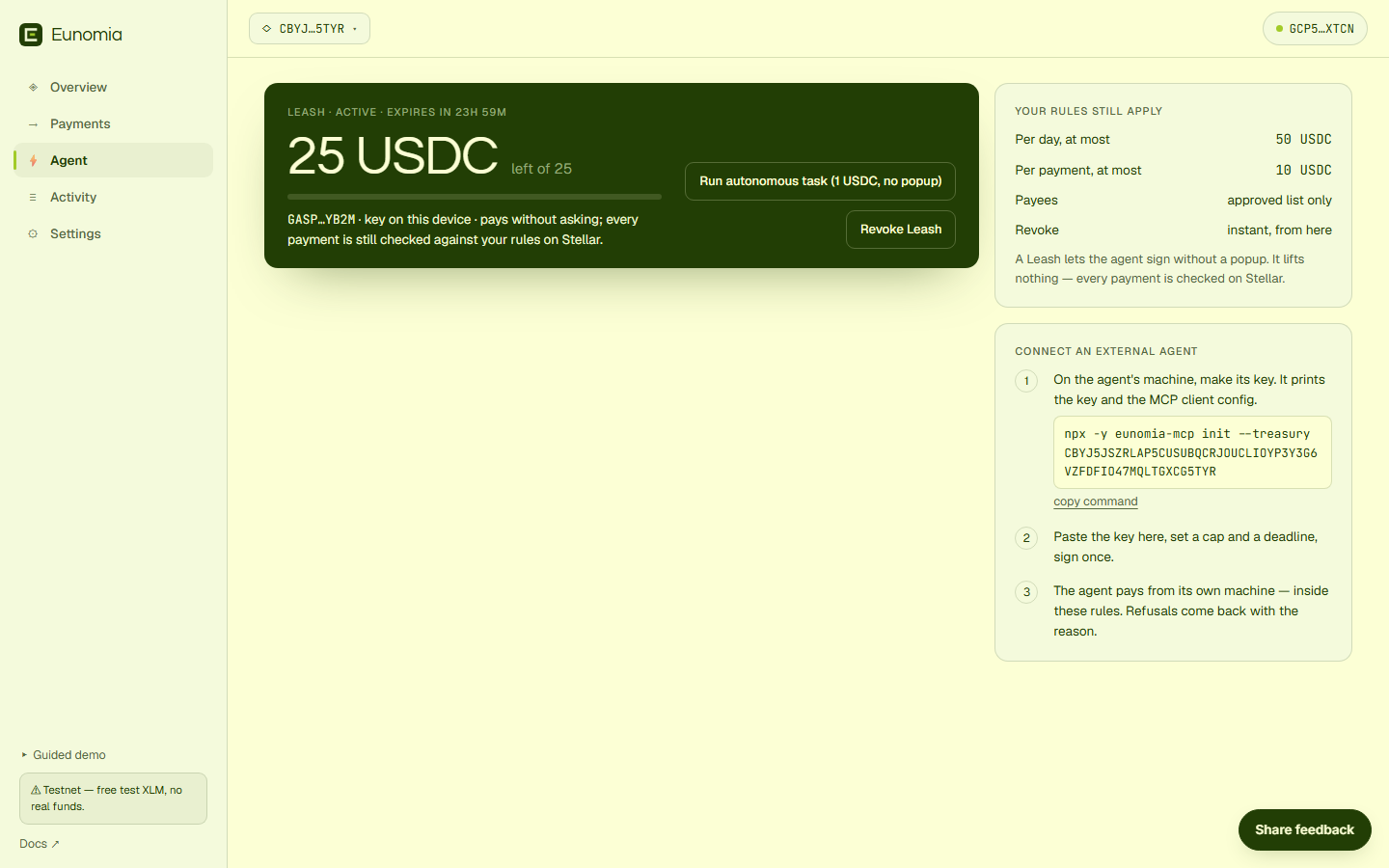
Owner controls — in Settings: Pause spending (freezes the agent; withdraw still works), Withdraw funds back out to an address, and Update limits live. The owner always has an exit. Your treasury is backed up on Stellar, so it opens by itself when you sign in with the same passkey or wallet on another device.
If something goes wrong
- Errors are shown in plain language inside the app (insufficient balance, signature rejected, and so on).
- The Share feedback button (bottom right) opens a short form — two sentences there directly shape the roadmap. 🙏
More
- Main README — architecture and contracts
eunomia-mcp— every tool the agent gets